
The CDcare ownership journal
CDCARE NGN STORE Scam Alert: Not Affiliated with CDcare
CDcare warns: CDCARE NGN STORE is not affiliated with the CDcare app. Do not pay this account. See 16 screenshots showing the impersonation and account switch.
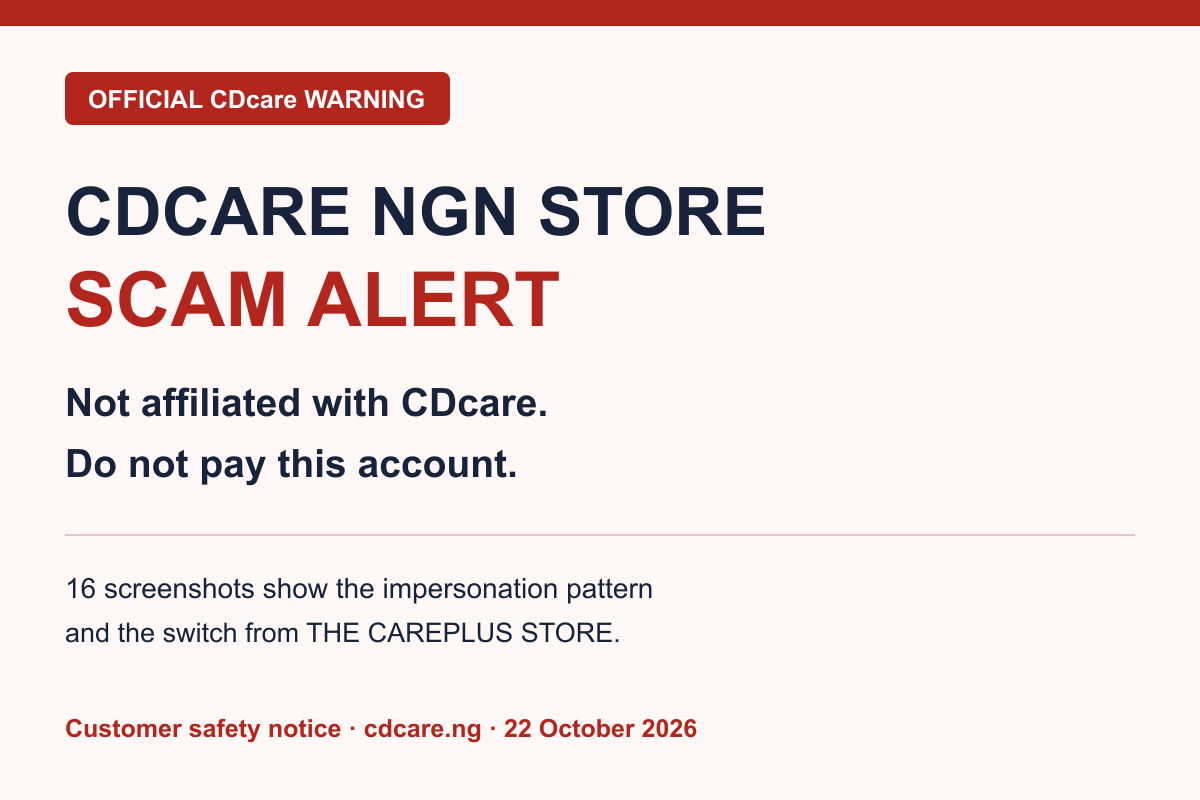
Official customer warning published by CDcare on 22 October 2026. CDCARE NGN STORE is NOT CDcare (CD CARE LIMITED) and is NOT affiliated with the CDcare app or authorised to receive payments for CDcare. Do not pay this account or do business with the people using it to offer a CDcare purchase. The people impersonating CDcare in the reported conversation are SCAMMERS.
This warning concerns the specific WhatsApp contact and payment recipients shown below. The chat uses the name Cdcare Ngn Store and CDcare branding, but its messages, payment instructions and branded receipt are not from CDcare. This article is a warning issued by CDcare about that impersonation.
Do not pay these accounts for a CDcare order
• CDCARE NGN STORE — Paga — account 1010149592. The supplied transfer receipt displays the recipient as OasisPay - CDCARE NGN STORE.
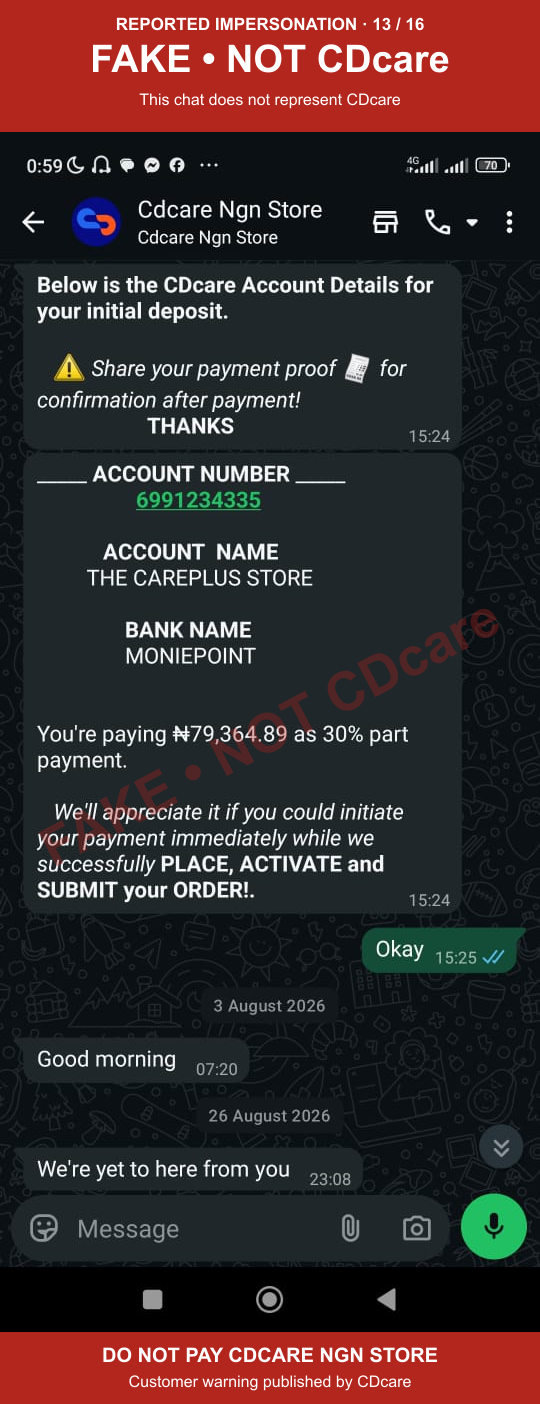
• THE CAREPLUS STORE — Moniepoint — account 6991234335. The same WhatsApp chat supplied this account before switching to the CDCARE NGN STORE account.
These details identify the accounts customers should avoid for CDcare purchases, deposits, instalments, activation or delivery. They are not payment instructions. The banks and payment providers are named as they appear in the supplied evidence; this warning concerns the impersonators using the accounts.
Only use the payment details shown in your own account in the official CDcare app. If someone sends different account details on WhatsApp, stop and contact CDChat inside the app.
The pattern: a sales script, an account switch and a fake confirmation
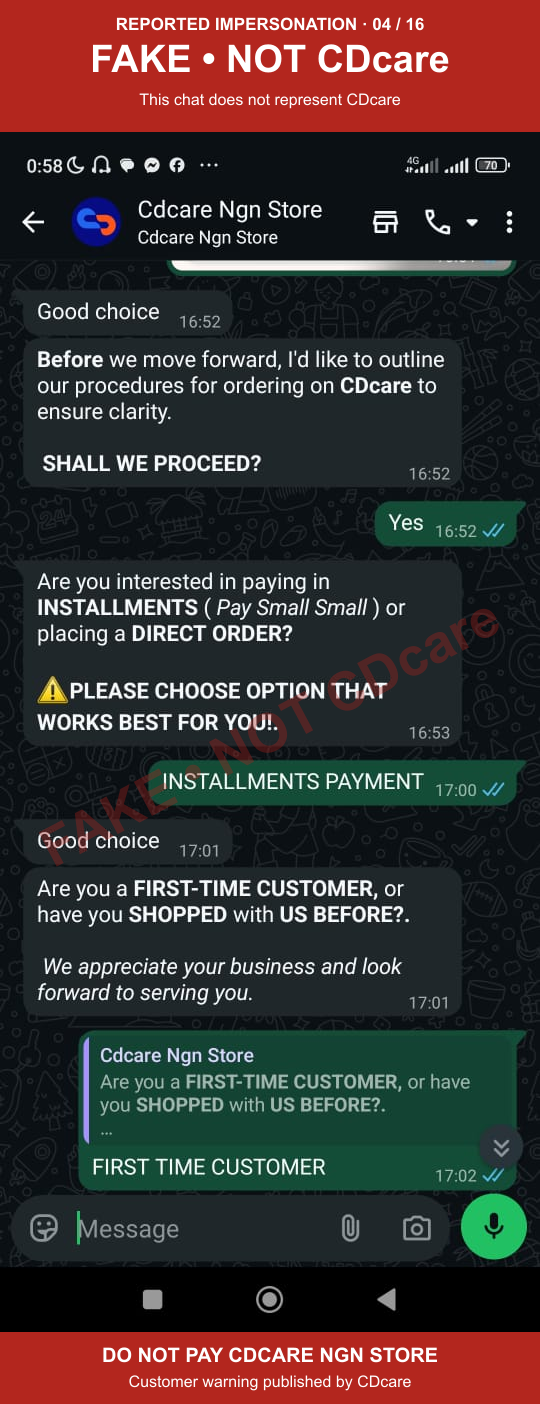
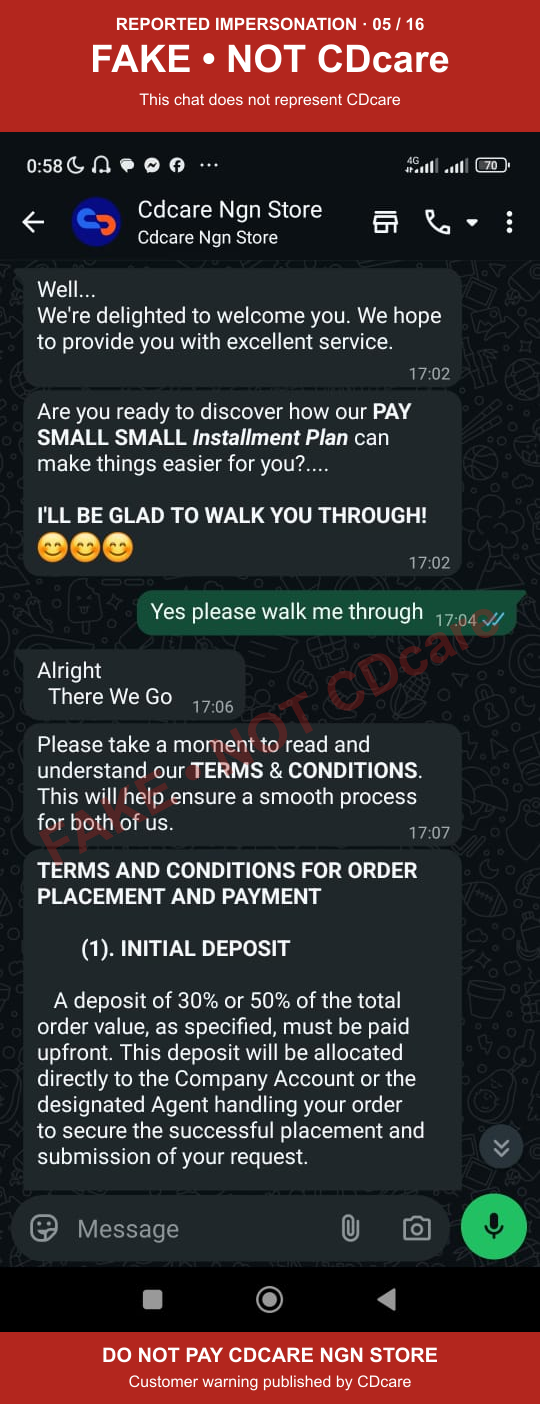
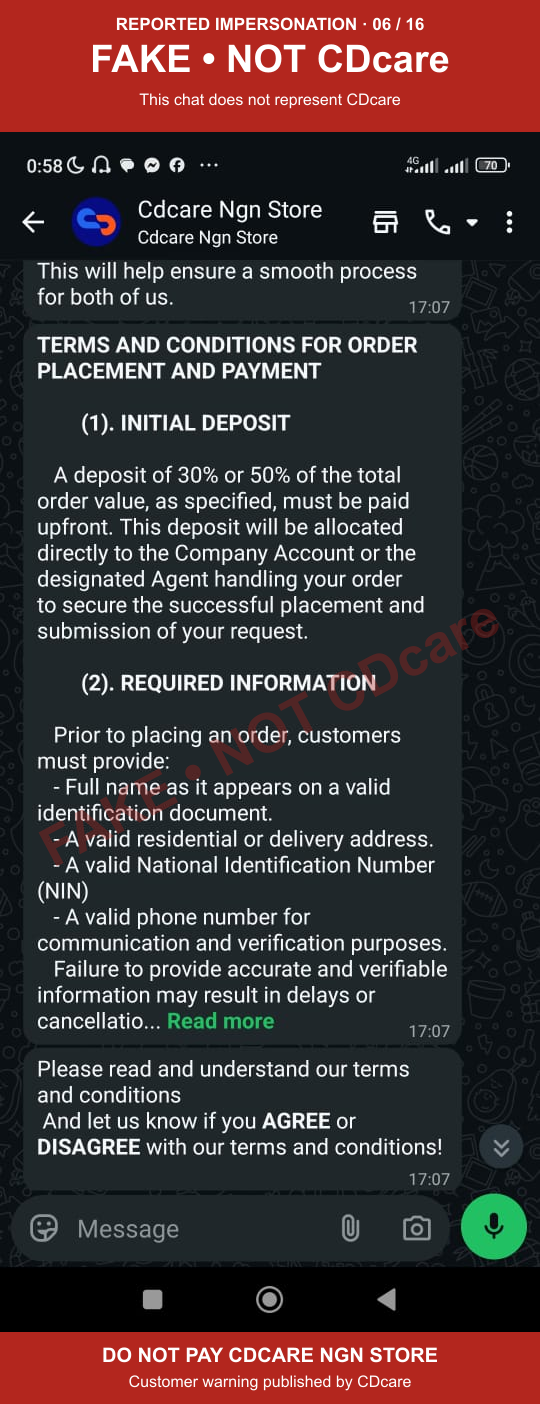
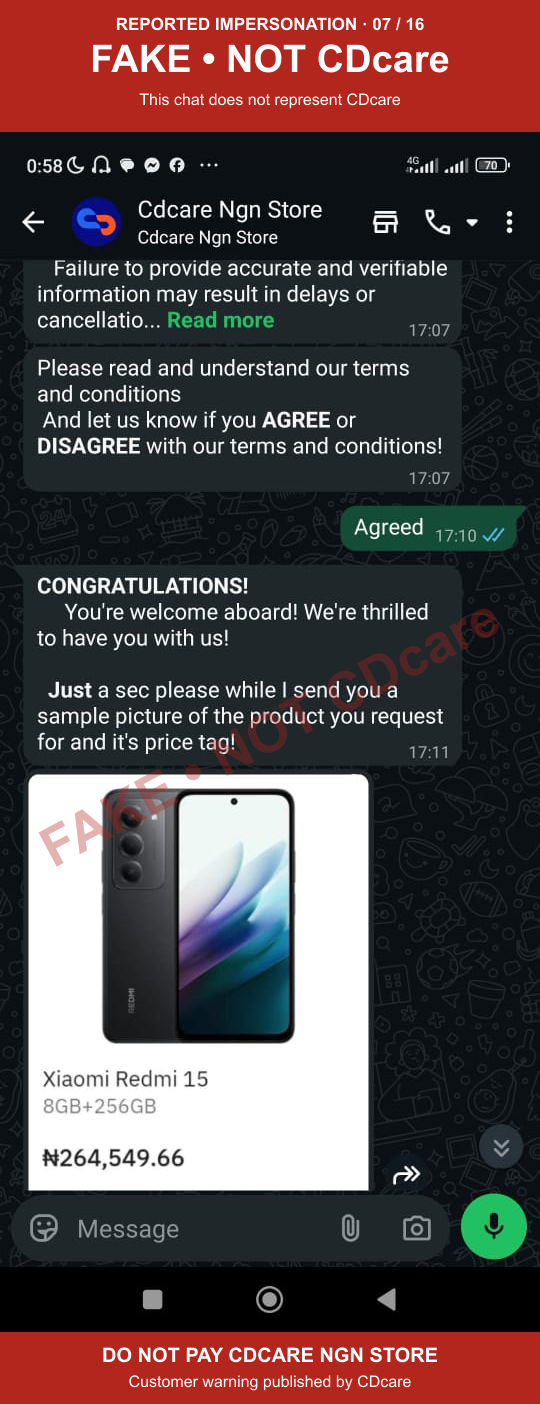
The 16 screenshots below show a single reported WhatsApp conversation in sequence. It begins with a greeting using CDcare's name, copied product offers and a request for a 30% or 50% deposit. The sender introduces purported terms, requests identity and contact information, claims to verify the customer, and presses for payment.
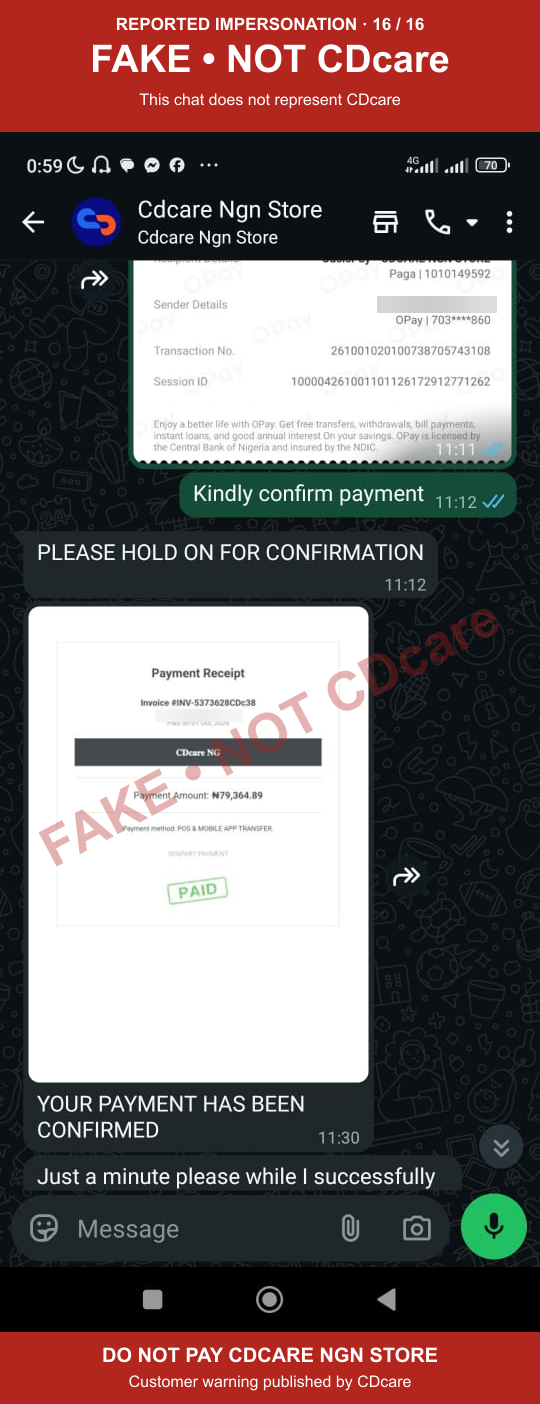
The chat first names THE CAREPLUS STORE at Moniepoint. It later says the previous account has expired and supplies CDCARE NGN STORE at Paga. An OPay transfer screenshot shows ₦79,364.89 sent to OasisPay - CDCARE NGN STORE on 1 October 2026. The sender then issues a document headed Payment Receipt, labelled CDcare NG, and claims the payment has been confirmed. That document is not a genuine CDcare payment confirmation.
This sequence shows both recipient names appearing in the same reported chat. It does not independently establish the identity of the person operating the chat or ownership of the accounts.
How to read these evidence images
Every screenshot carries a prominent FAKE • NOT CDcare warning and a semi-transparent diagonal watermark. The warning labels the false claim of representing CDcare. It does not mean that the bank or payment provider fabricated the transfer receipt.
Customer names have been blurred wherever visible. Store names, recipient account details and the original messages remain visible so customers can recognise the pattern. CDcare added the warning bands and watermarks; the chat and receipt content has not been recreated. Tap any screenshot to open the full-size image.
1. Using CDcare's name and copied product offers
The conversation opens with a CDcare-branded greeting and a request for the customer's name and location. It moves into an upfront-payment sales pitch and product catalogue screenshots. A familiar logo or product image does not authenticate a WhatsApp contact.
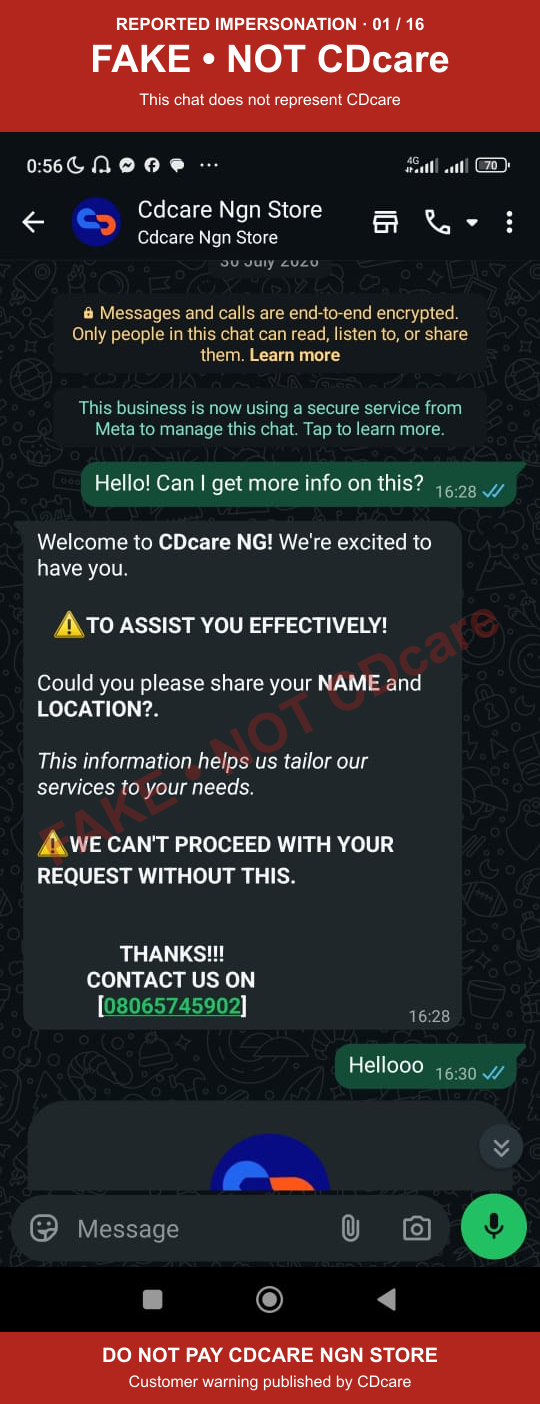
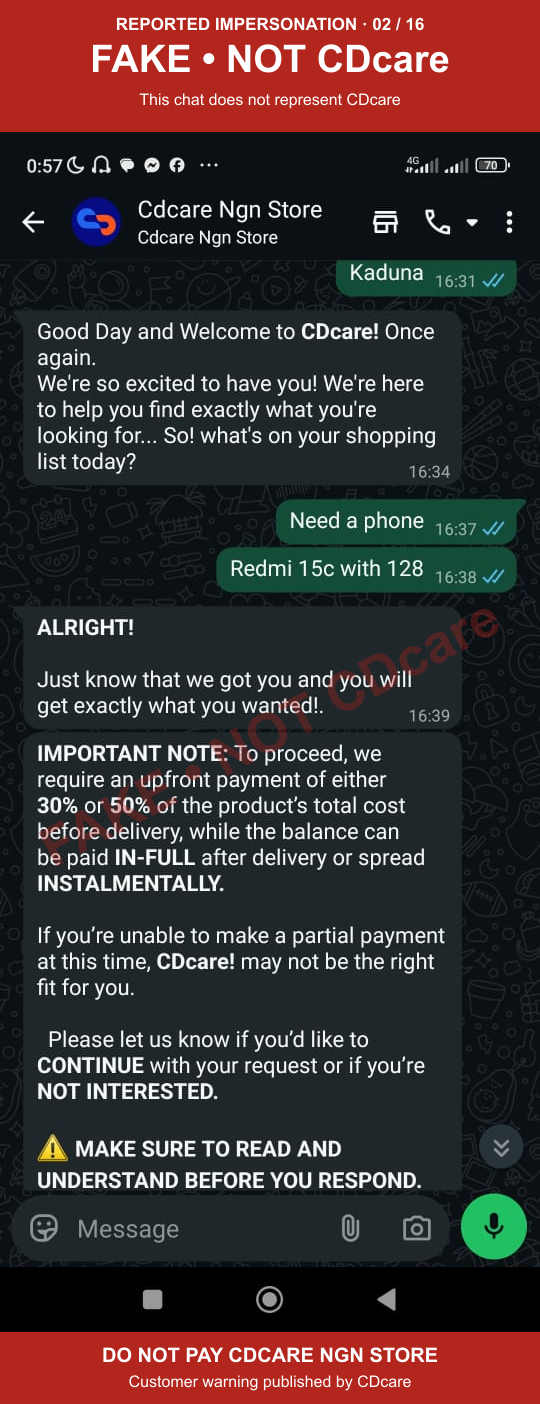
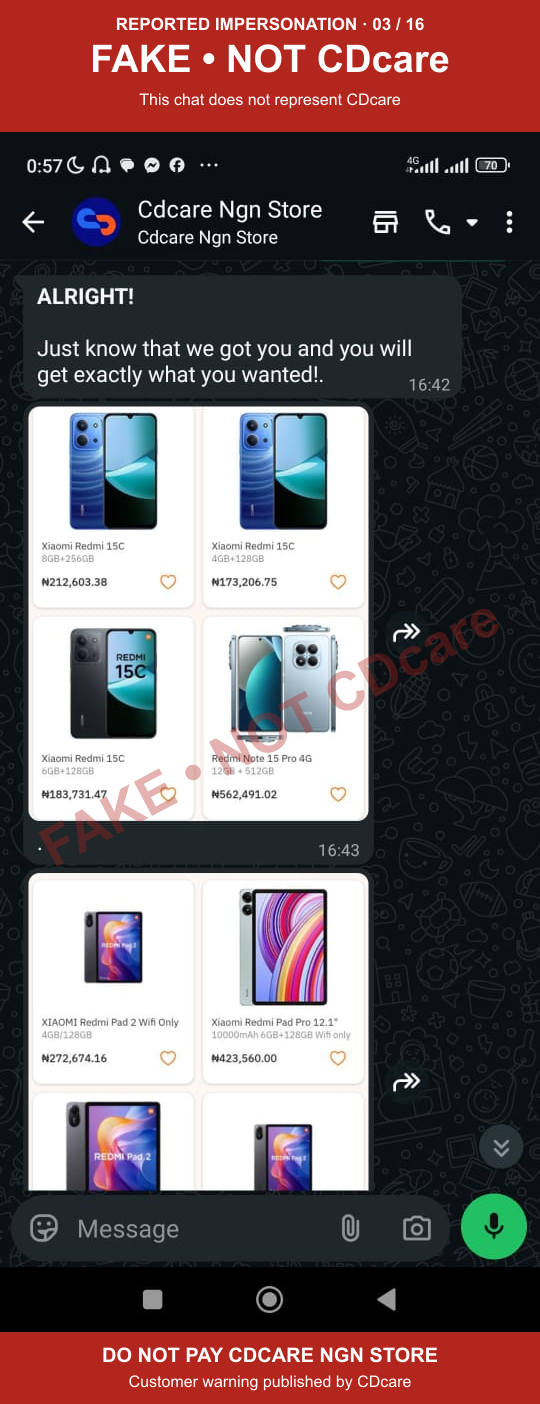
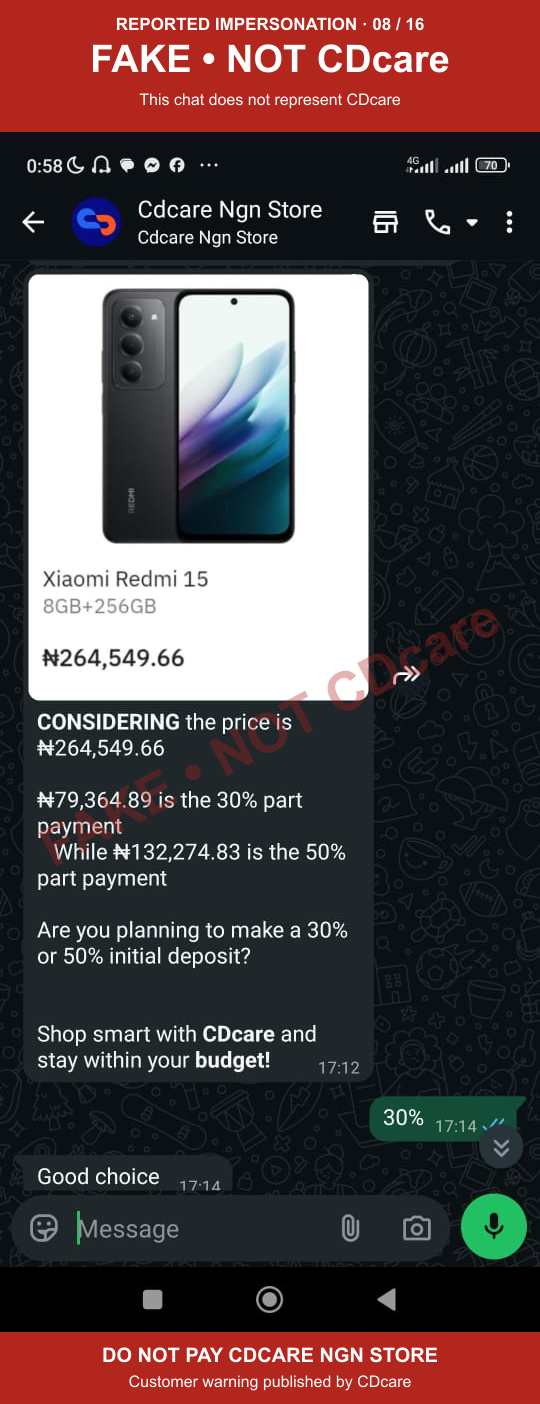
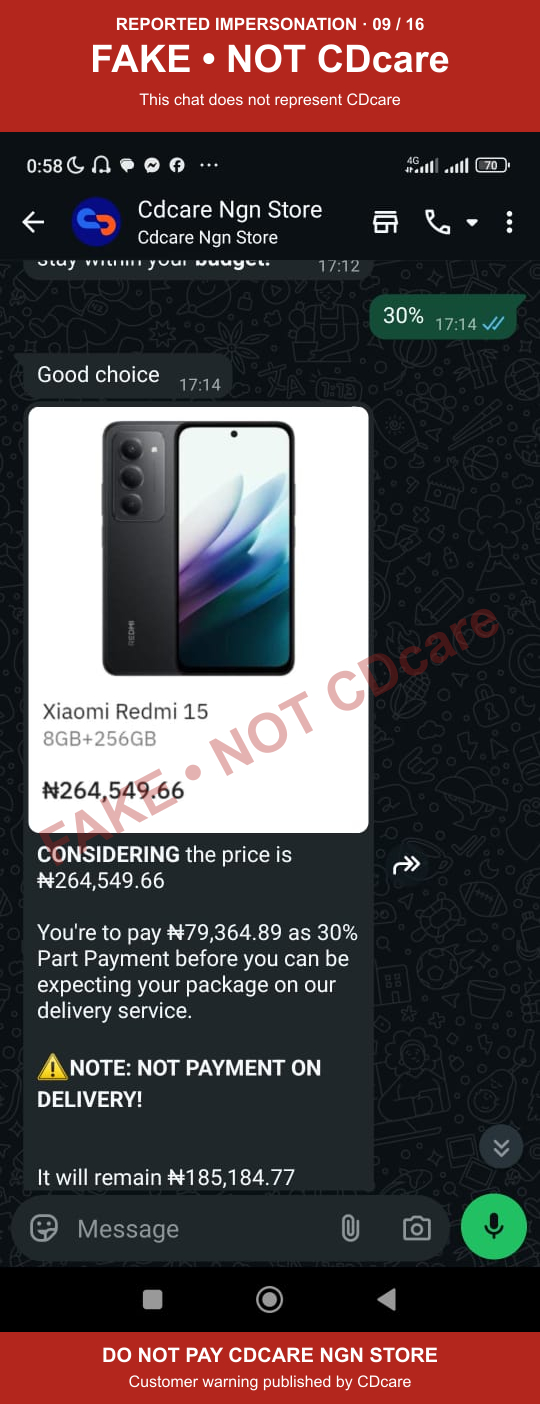
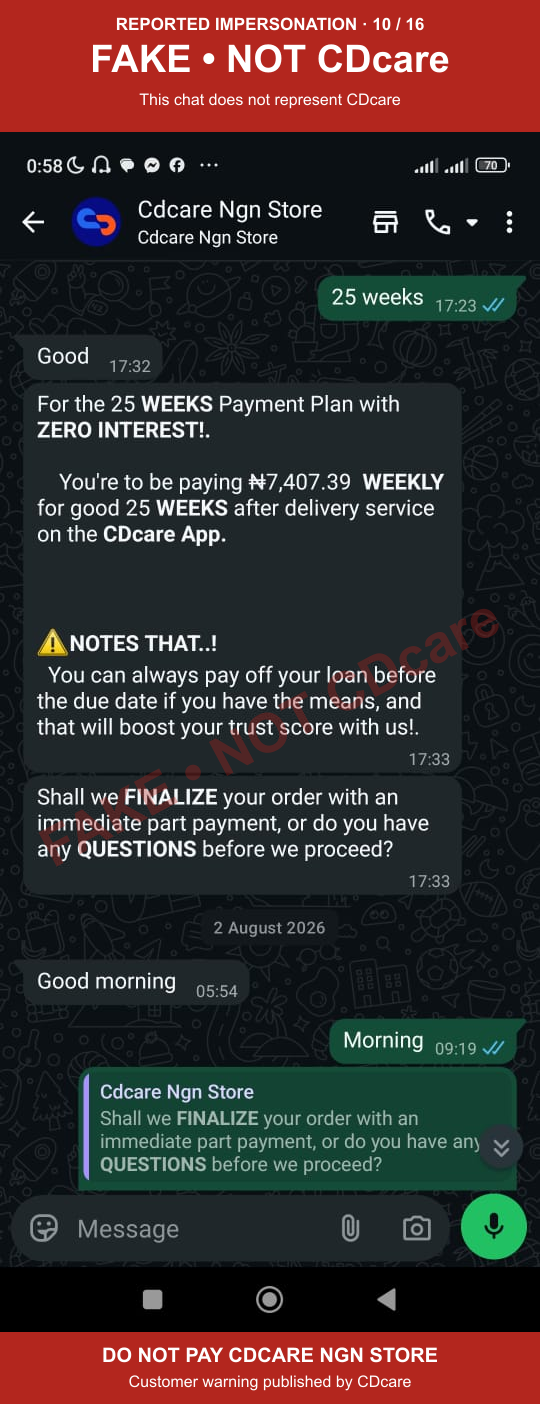
2. Purported terms, deposit amounts and delivery claims
The sender introduces unofficial terms and asks for identity details. A phone is offered at ₦264,549.66, with ₦79,364.89 requested as a 30% deposit. The chat then claims a 25-week payment plan at ₦7,407.39 per week after delivery. These are the impersonator's claims, not CDcare's payment or delivery terms.
3. A fake validation form and pressure to pay
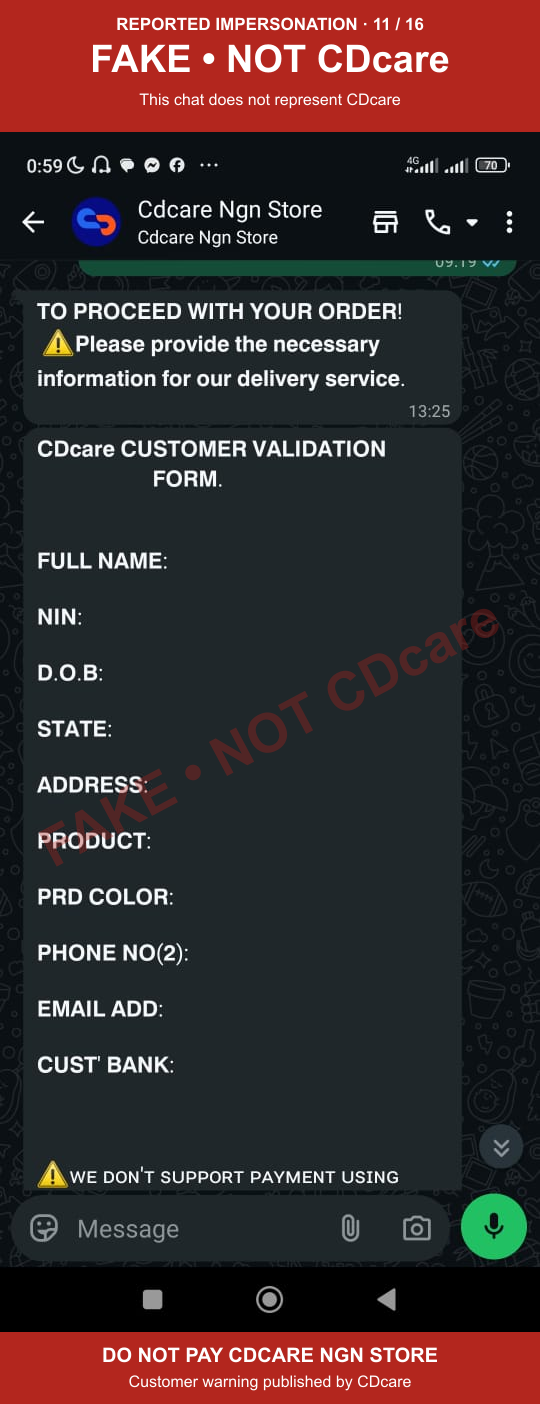
The sender presents a purported CDcare customer validation form requesting a name, NIN, date of birth, address, phone numbers, email and bank information. It then claims verification has been completed and asks for immediate payment. Do not send identity documents or personal information to this contact. Verify requests through CDChat in the official app.
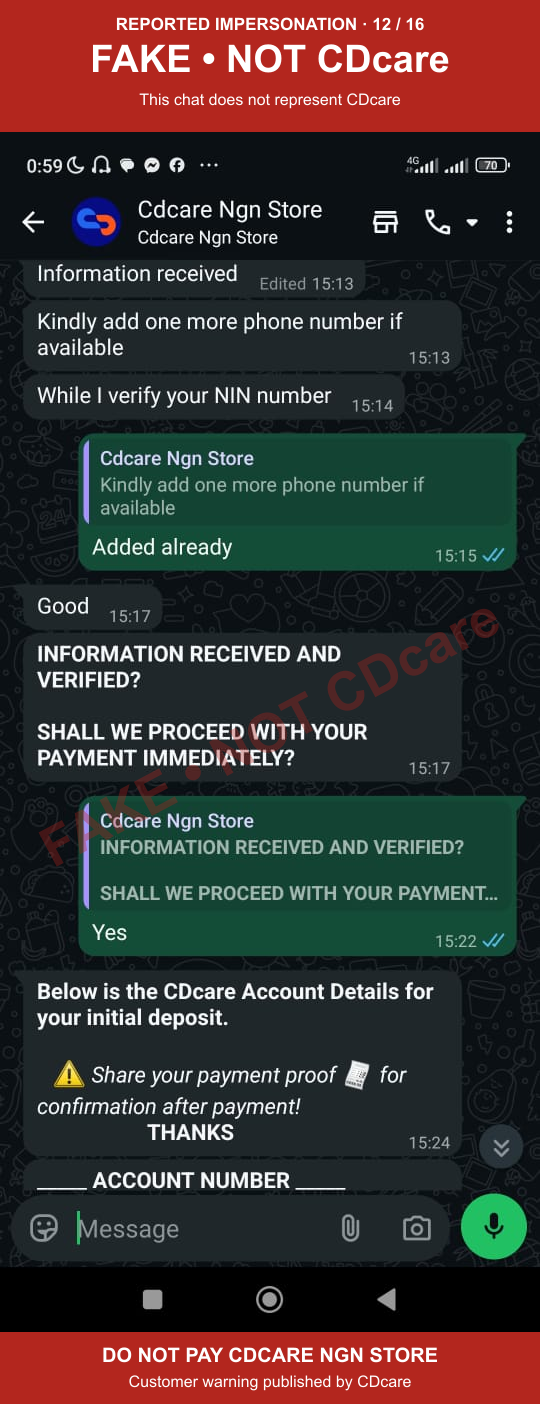
4. Switching from THE CAREPLUS STORE to CDCARE NGN STORE
These screenshots show the account change directly: THE CAREPLUS STORE at Moniepoint is followed by a message saying the previous account has expired, then a request to pay CDCARE NGN STORE at Paga. The payment receipt in the chat shows the latter recipient. Neither payment request is authorised by CDcare.
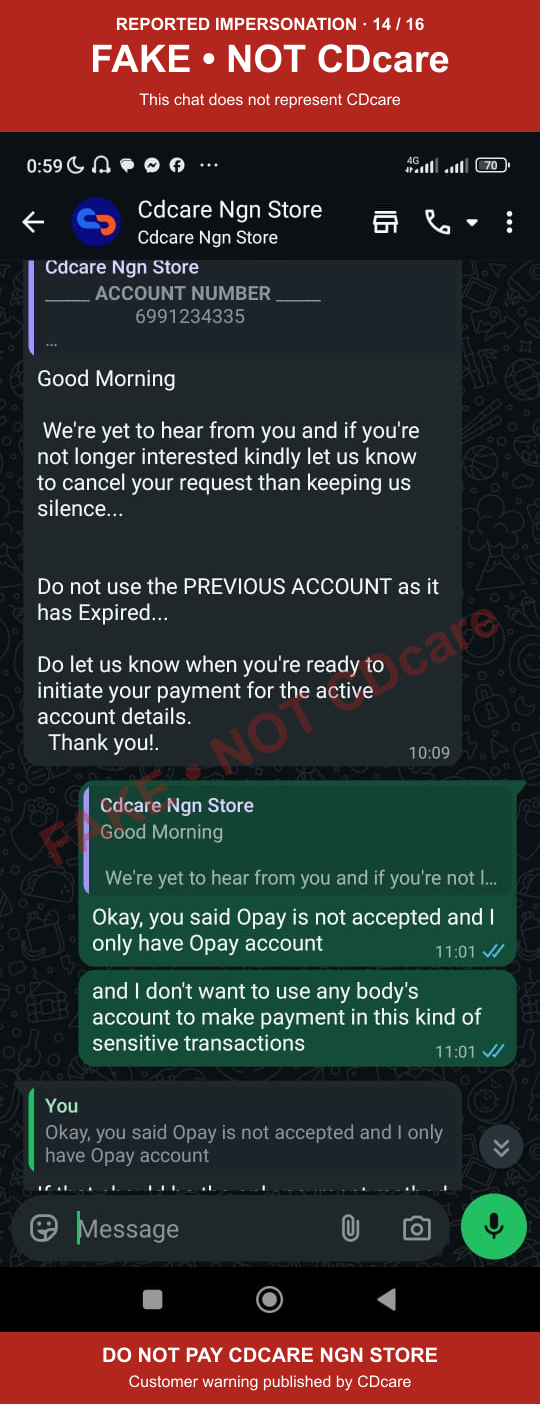
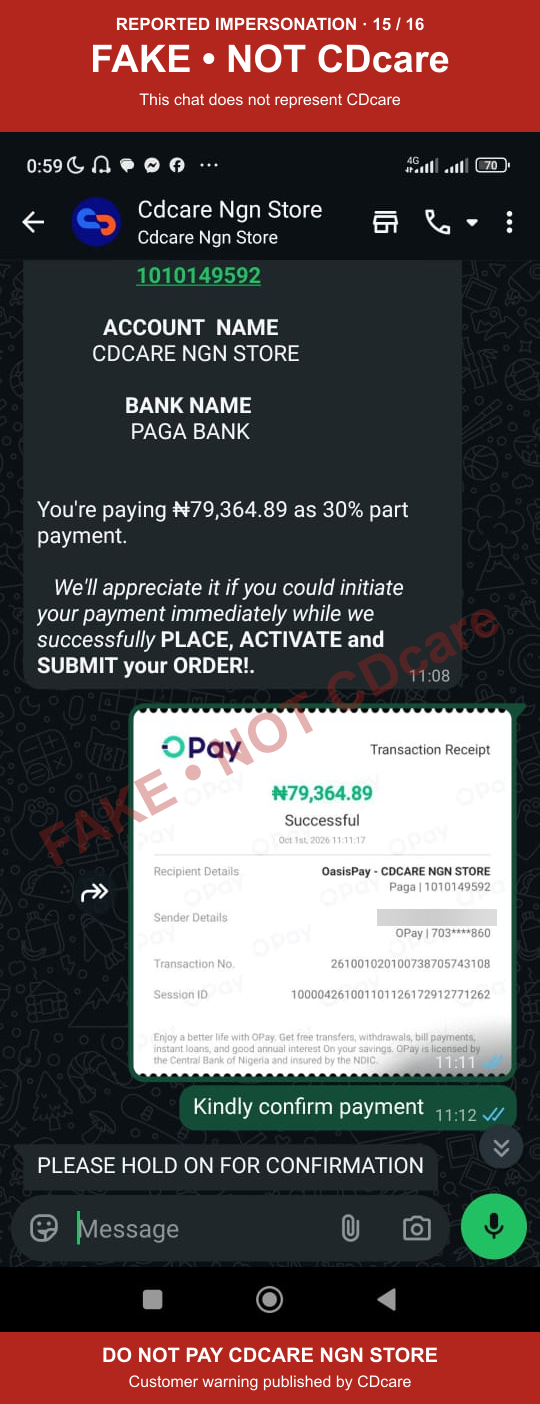
5. A receipt branded CDcare NG after payment
The sender follows the transfer with a purported CDcare NG receipt, a green PAID stamp and a payment-confirmed message. A receipt image or chat confirmation from this contact does not establish a genuine CDcare order. Check order and payment status inside your CDcare account.
A CAC registration does not prove affiliation with CDcare
A business-name registration does not make CDCARE NGN STORE part of CDcare, establish a relationship with the CDcare app, or authorise it to collect CDcare payments. We have not verified a CAC certificate linking a particular registered entity or individual to the accounts in these screenshots. This warning is based on the reported messages and payment evidence, and CDcare's confirmation that these requests are unauthorised.
Related CarePlus Store warning
CDcare also published CarePlus Store Scam Alert: Do Not Pay These Accounts on 8 October 2026. That earlier report documents THE CAREPLUS STORE at Kuda and SQUAD THE CAREPLUS STORE at GTBank, with seven customer-name-blurred receipt images. This new article documents the additional Moniepoint and Paga requests in the supplied WhatsApp conversation.
Read the earlier warning: https://www.cdcare.ng/blog/careplus-store-scam-alert
If you have paid or received these messages
• Stop sending money to this contact, including any additional activation, balance or delivery payment.
• Keep the original chat, recipient details, receipts and documents. Do not delete the evidence.
• Contact your bank or payment provider through its official support channel, report the suspected fraud and ask about investigation or recovery options.
• Report the impersonation through CDChat in the official CDcare app. Share supporting evidence privately with support.
Is CDCARE NGN STORE the CDcare app?
No. CDCARE NGN STORE identified in this report is not CDcare, is not affiliated with the CDcare app, and is not authorised to collect payments on CDcare's behalf. The use of CDcare's name, logo, products or a branded receipt does not create that affiliation.
CDCARE NGN STORE / CAREPLUS STORE SCAM ALERT: Do not pay the accounts identified in these warnings for a CDcare order. Only use the payment details shown in your CDcare app. Report suspicious requests through CDChat.